

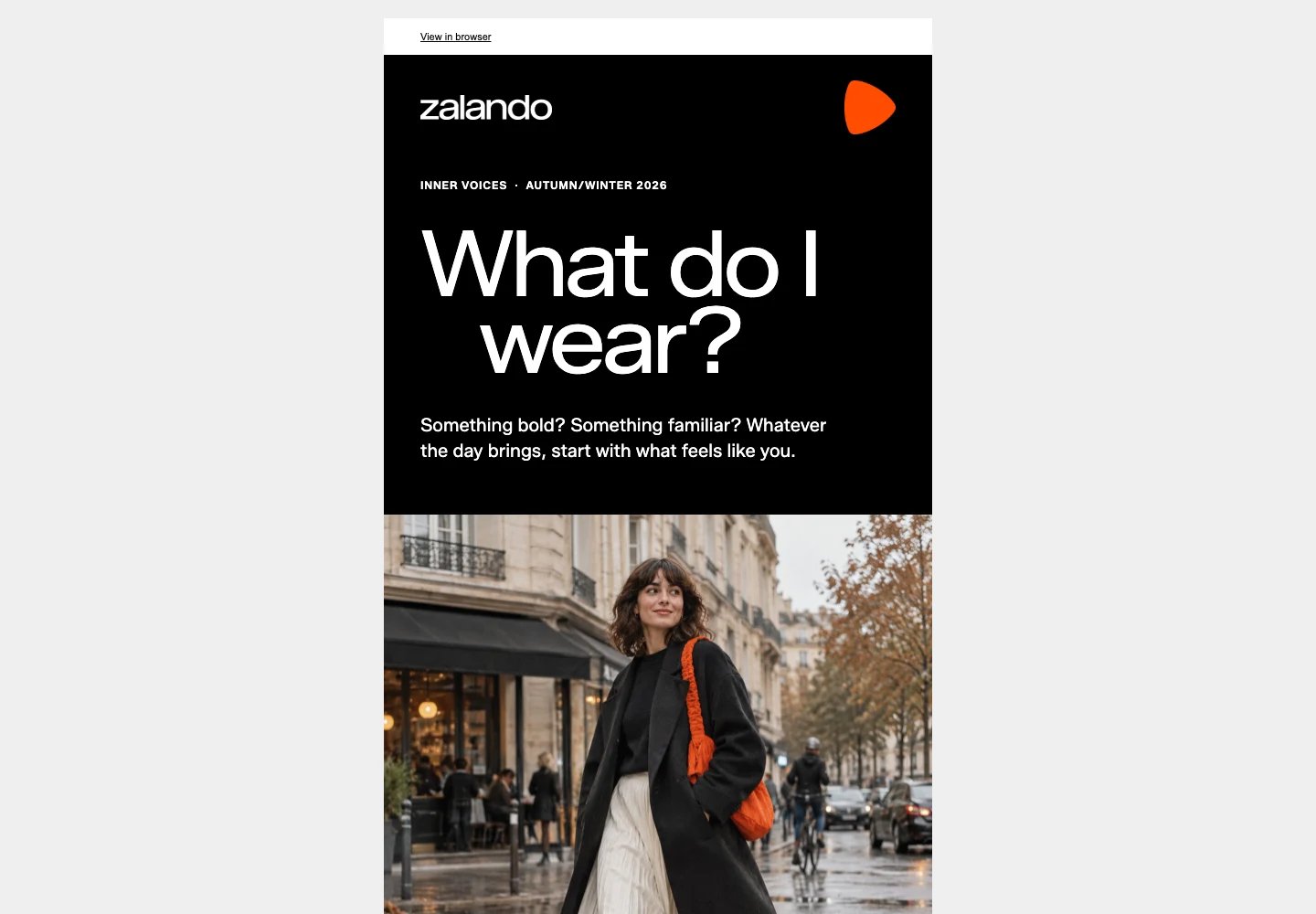
Zalando · Inner Voices campaign email concept
Open the email preview
Inspect the complete Zalando concept in your browser.
Download the HTML
Get the email source to inspect and adapt.
What you need
- A development environment connected to Rainbrand through MCP.
- A ready brand in Rainbrand, or sources to create one.
- A campaign goal, audience, and destination for the main call to action.
Run it with your agent
Connect Rainbrand to your agent
Connect Rainbrand through MCP in your development environment.
How it worked
1
Read the relevant brand context
Rainbrand supplied voice, campaign, typography, layout, and imagery
guidance. The concept pairs Zalando’s original wordmark and orange brand
mark with expressive typography and a full-width street-style image.
2
Develop the campaign idea
The “Inner Voices” premise turns everyday indecision about getting dressed
into a short invitation to explore personal style. An original AI-generated
image shows a person walking along a damp street in a black coat, cream
skirt, and orange shoulder bag. It uses no campaign photography, campaign
talent, celebrity likenesses, or third-party marks. The copy makes no
product or delivery claims.
3
Build the HTML email
A table-based layout and inline styles carry the design. The original
Zalando Sans font is bundled with the SIL Open Font License 1.1; Arial and
Helvetica provide fallbacks for email clients that do not load it.
4
Preview and review
Use desktop and mobile browser previews to check the layout and compare the
result with the brand guidance. Browser previews do not establish how every
inbox will render the email; test your target email clients before sending.
What each system did
- Rainbrand supplied the brand guidance and assets.
- The connected development environment wrote the copy and HTML, then rendered and reviewed the preview.
- Your email platform handles contacts, sender identity, subscription links, sending, and analytics after you import the HTML.
Before you send
- Replace the browser-view, preferences, unsubscribe, and company-address placeholders with your platform’s supported values. Check the campaign claims and destination links.
- Send test emails through your platform and check the clients your audience uses, including mobile layout, blocked images, and fallback fonts.