> ## Documentation Index
> Fetch the complete documentation index at: https://docs.rainbrand.com/llms.txt
> Use this file to discover all available pages before exploring further.
# Request a Review
> Check an asset against your brand and use the findings to guide revisions.
See where an asset follows your brand guidance and where it needs attention, with verdicts, explanations, and evidence pictures you can share.
This feature is in beta. During beta, endpoint schemas and behavior may change
or be removed.
## What the Review checks
Rainbrand checks one asset's colors, typography, logo, and copy against your brand guidance. It looks for palette and font mismatches, incorrect or unreadable logos, and problems with spelling, grammar, expected text, brand facts, or voice. It does not judge your overall brand identity or personal taste.
For example, a finding might say: “The headline uses a different font from the brand's heading font,” with an evidence picture showing the mismatch.
Each requested check returns `pass`, `fail`, `uncertain`, or `not_applicable`, a short reason, and evidence pictures where available. Unreadable text or insufficient brand evidence can produce `uncertain`. `not_applicable` means no relevant element exists; it is not a pass.
## See a review example
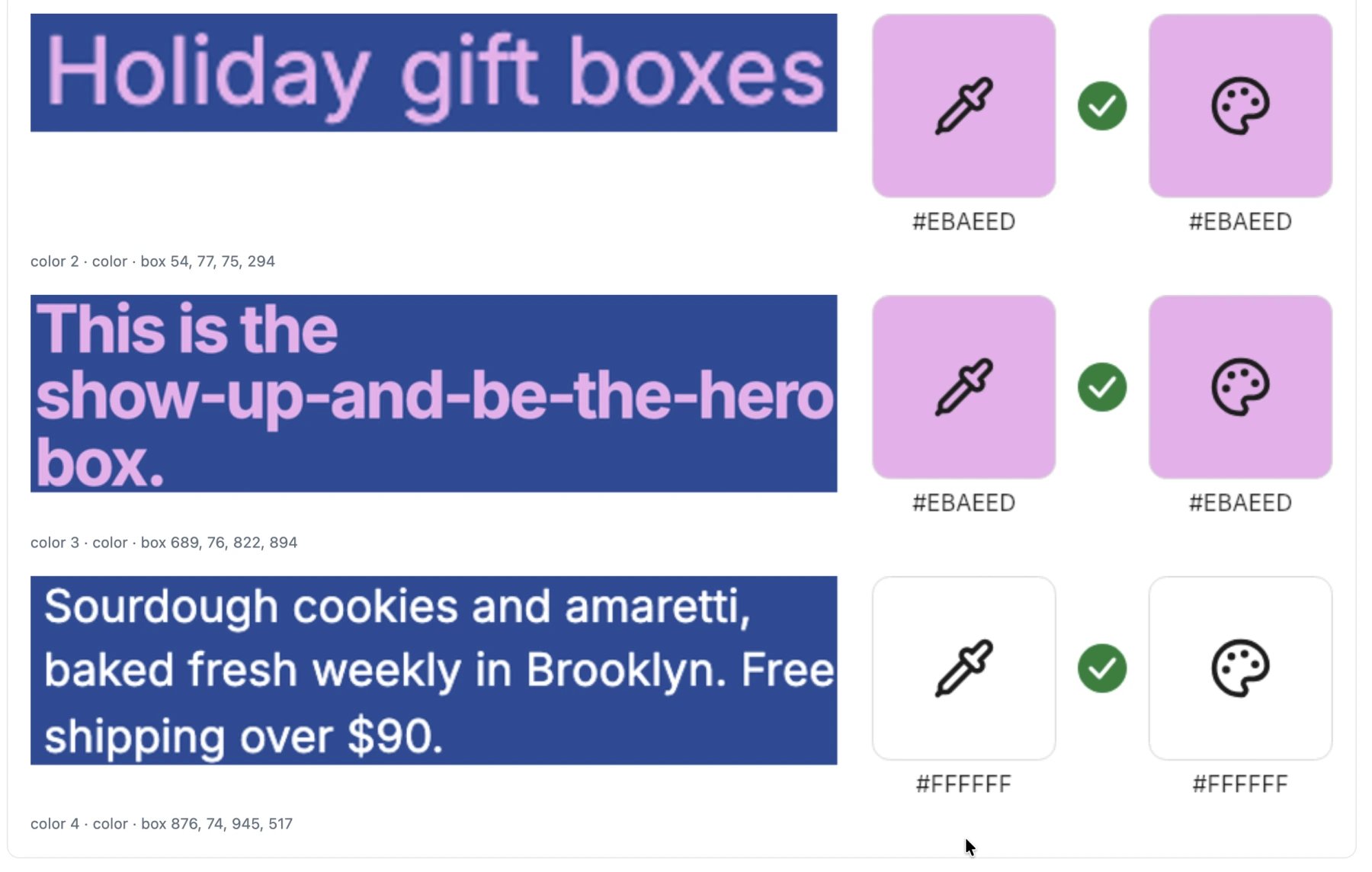
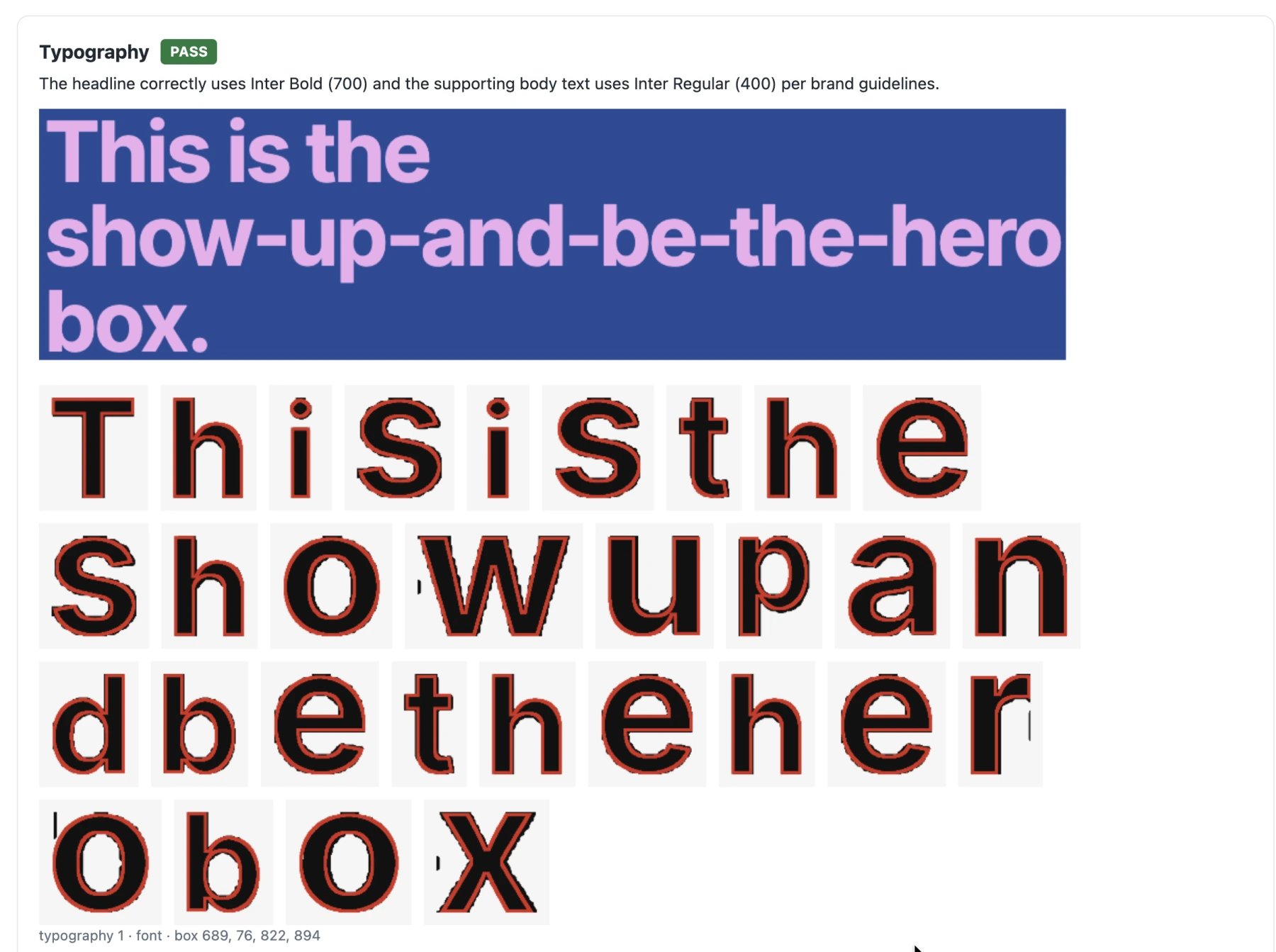
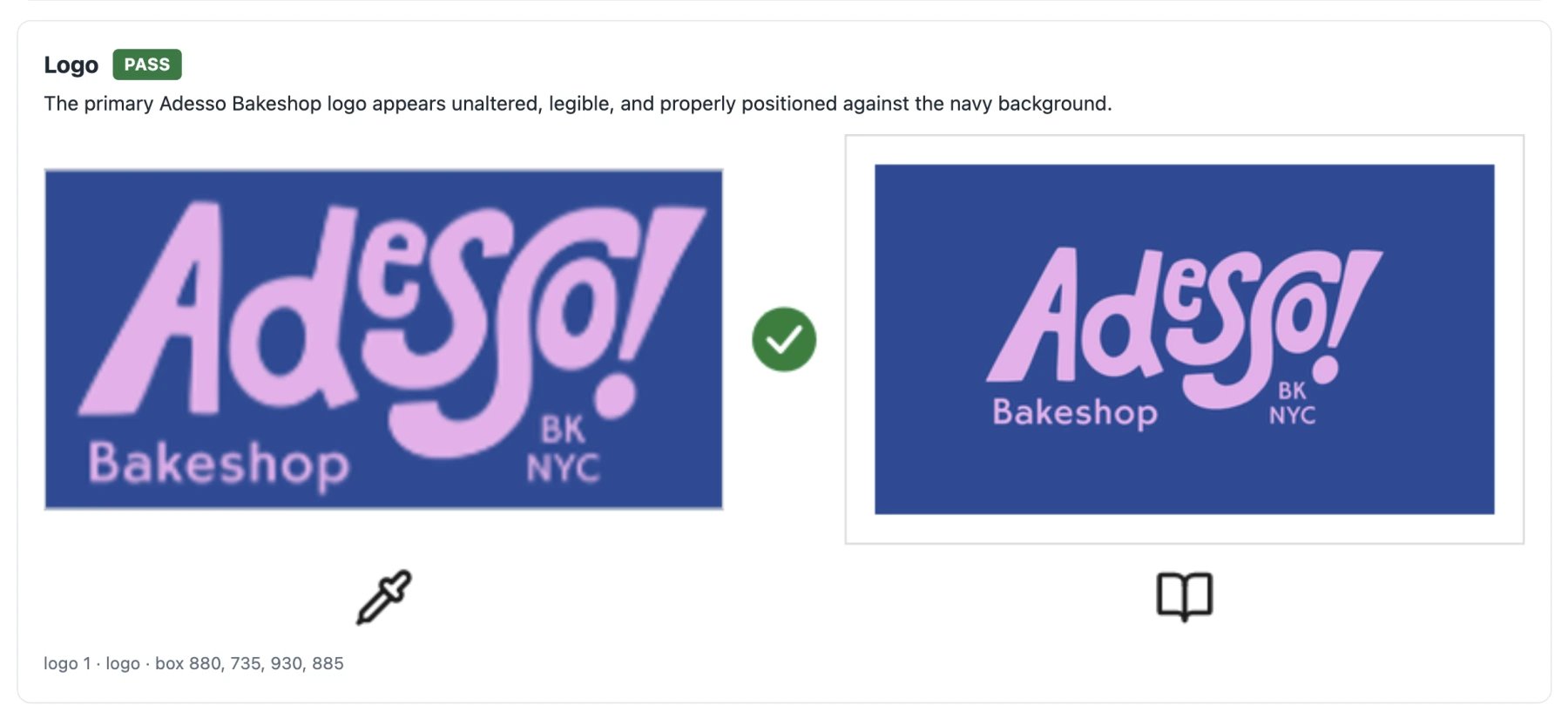
This Adesso Bakeshop gift-box creative shows how a review identifies parts of an image and compares them with brand references.
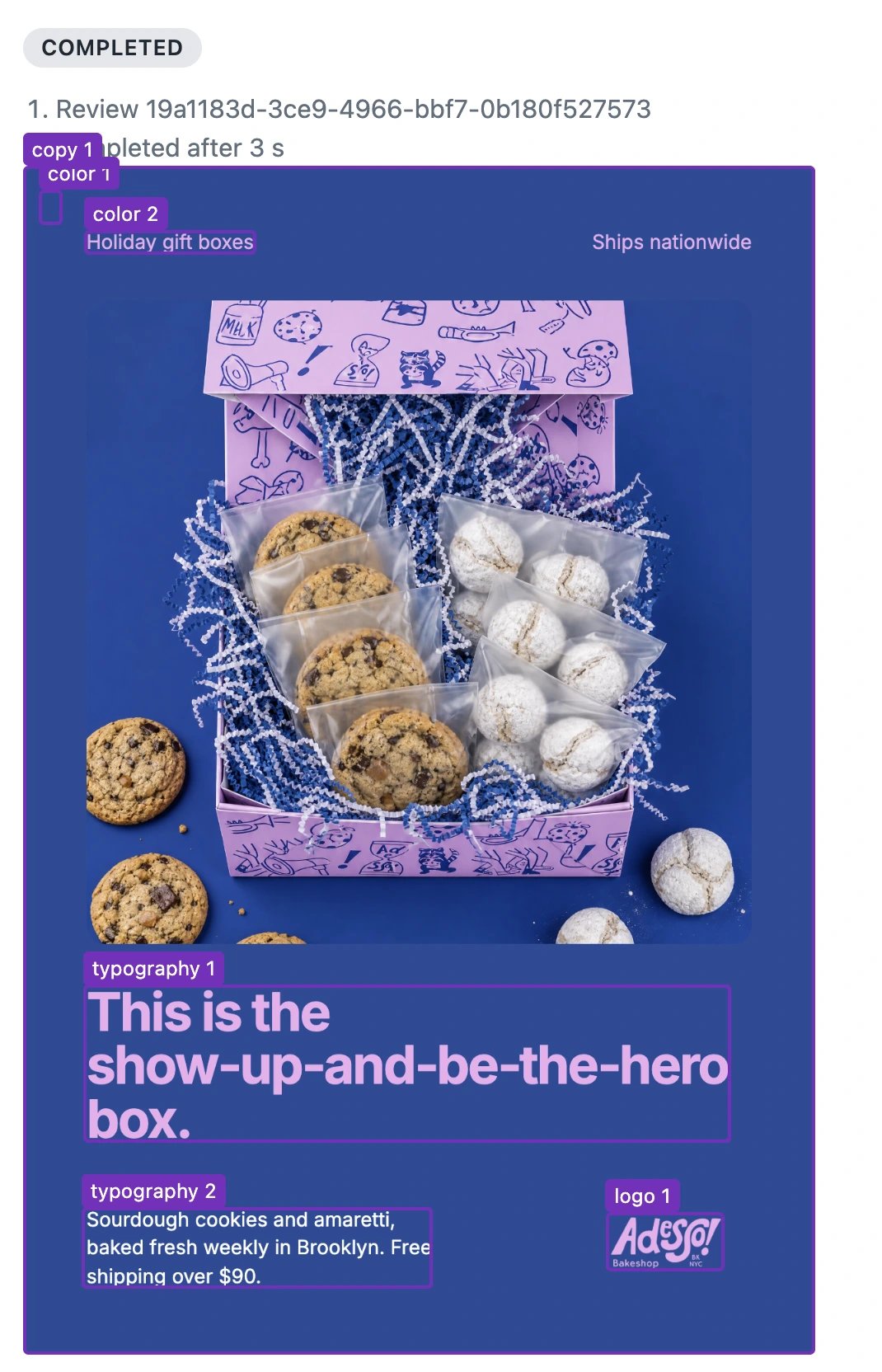
The evidence below shows the color, typography, and logo comparisons.
 ## Request and retrieve a Review
You'll need a brand ready for Reviews and one image. Reviews accept PNG, JPEG, WebP, GIF, and SVG images, including any reference images you provide. Documents such as PDFs are not supported.
For a local image, follow [Upload local files](/guides/upload-files) first.
With your [API key](/api/authentication), submit the asset and checks:
```bash theme={"dark"}
curl -X POST https://www.rainbrand.com/api/v1/reviews \
-H "x-api-key: $RAINBRAND_API_KEY" \
-H "Content-Type: application/json" \
-d '{
"brandSessionId": "",
"assets": [{ "url": "https://assets.example.com/banner.png" }],
"checks": ["color", "typography", "logo", "copy"]
}'
```
Replace the Brand ID and image URL. You can also supply a temporary upload or an image ID, and add context such as expected text or comparison images. See [Request a Review](/api-reference/reviews/request-a-review) for those fields.
The `202` response contains `data.id` and `data.status`. Set `REVIEW_ID` to that ID:
```bash theme={"dark"}
curl "https://www.rainbrand.com/api/v1/reviews/$REVIEW_ID?wait=true" \
-H "x-api-key: $RAINBRAND_API_KEY"
```
Repeat this read while `pending` or `processing`. Completed checks appear under `data.results`. If the Review fails, read the error before retrying. See [Get a Review](/api-reference/reviews/get-a-review) for the result and error fields.
[Connect your agent](/mcp/connect), then ask:
```text theme={"dark"}
Review the Acme launch banner against its brand. Check colors, typography,
logo, and copy. The headline should read exactly “Meet your morning.”
Show me the findings and evidence pictures.
```
The agent requests the Review, waits for it to complete, and shows the findings and evidence pictures.
## Use Reviews in an agent workflow
Use Review findings to guide revisions in your own image tool or a model that supports image references. Reviews never edit assets automatically. Limit the number of attempts to avoid unnecessary generation costs.
Try this with your MCP-connected agent:
```text theme={"dark"}
Generate an Acme coffee launch banner with the headline “Meet your morning.”
Wait for generation to complete, then review all four checks.
Fix only clear failures, with at most two editing rounds. After each completed
edit, review the revised image. Stop if an operation fails, the image stops
improving, or all applicable checks pass. Bring uncertain findings to me.
Do not add absent elements just to satisfy a check marked not_applicable.
Show the final image, remaining issues, and evidence.
```
This documentation is built and hosted on [Mintlify](https://mintlify.com), a developer documentation platform.
## Request and retrieve a Review
You'll need a brand ready for Reviews and one image. Reviews accept PNG, JPEG, WebP, GIF, and SVG images, including any reference images you provide. Documents such as PDFs are not supported.
For a local image, follow [Upload local files](/guides/upload-files) first.
With your [API key](/api/authentication), submit the asset and checks:
```bash theme={"dark"}
curl -X POST https://www.rainbrand.com/api/v1/reviews \
-H "x-api-key: $RAINBRAND_API_KEY" \
-H "Content-Type: application/json" \
-d '{
"brandSessionId": "",
"assets": [{ "url": "https://assets.example.com/banner.png" }],
"checks": ["color", "typography", "logo", "copy"]
}'
```
Replace the Brand ID and image URL. You can also supply a temporary upload or an image ID, and add context such as expected text or comparison images. See [Request a Review](/api-reference/reviews/request-a-review) for those fields.
The `202` response contains `data.id` and `data.status`. Set `REVIEW_ID` to that ID:
```bash theme={"dark"}
curl "https://www.rainbrand.com/api/v1/reviews/$REVIEW_ID?wait=true" \
-H "x-api-key: $RAINBRAND_API_KEY"
```
Repeat this read while `pending` or `processing`. Completed checks appear under `data.results`. If the Review fails, read the error before retrying. See [Get a Review](/api-reference/reviews/get-a-review) for the result and error fields.
[Connect your agent](/mcp/connect), then ask:
```text theme={"dark"}
Review the Acme launch banner against its brand. Check colors, typography,
logo, and copy. The headline should read exactly “Meet your morning.”
Show me the findings and evidence pictures.
```
The agent requests the Review, waits for it to complete, and shows the findings and evidence pictures.
## Use Reviews in an agent workflow
Use Review findings to guide revisions in your own image tool or a model that supports image references. Reviews never edit assets automatically. Limit the number of attempts to avoid unnecessary generation costs.
Try this with your MCP-connected agent:
```text theme={"dark"}
Generate an Acme coffee launch banner with the headline “Meet your morning.”
Wait for generation to complete, then review all four checks.
Fix only clear failures, with at most two editing rounds. After each completed
edit, review the revised image. Stop if an operation fails, the image stops
improving, or all applicable checks pass. Bring uncertain findings to me.
Do not add absent elements just to satisfy a check marked not_applicable.
Show the final image, remaining issues, and evidence.
```
This documentation is built and hosted on [Mintlify](https://mintlify.com), a developer documentation platform.